
Link an account to a ClickHouse user
Make an account's statements run as its own ClickHouse user on a personal connection: the link, the grant, and what suspends it.
Example: Ann has the ClickHouse user alice. On the personal connection Production, her statements should run as alice. You need to be a super admin in CHouse UI, and you need someone who can run a GRANT in ClickHouse.
1. Create the link
Admin › Connections, then Linked ClickHouse users on Production:
- Search for Ann's account and select it.
- Type
aliceas the ClickHouse user. - Press Add link.
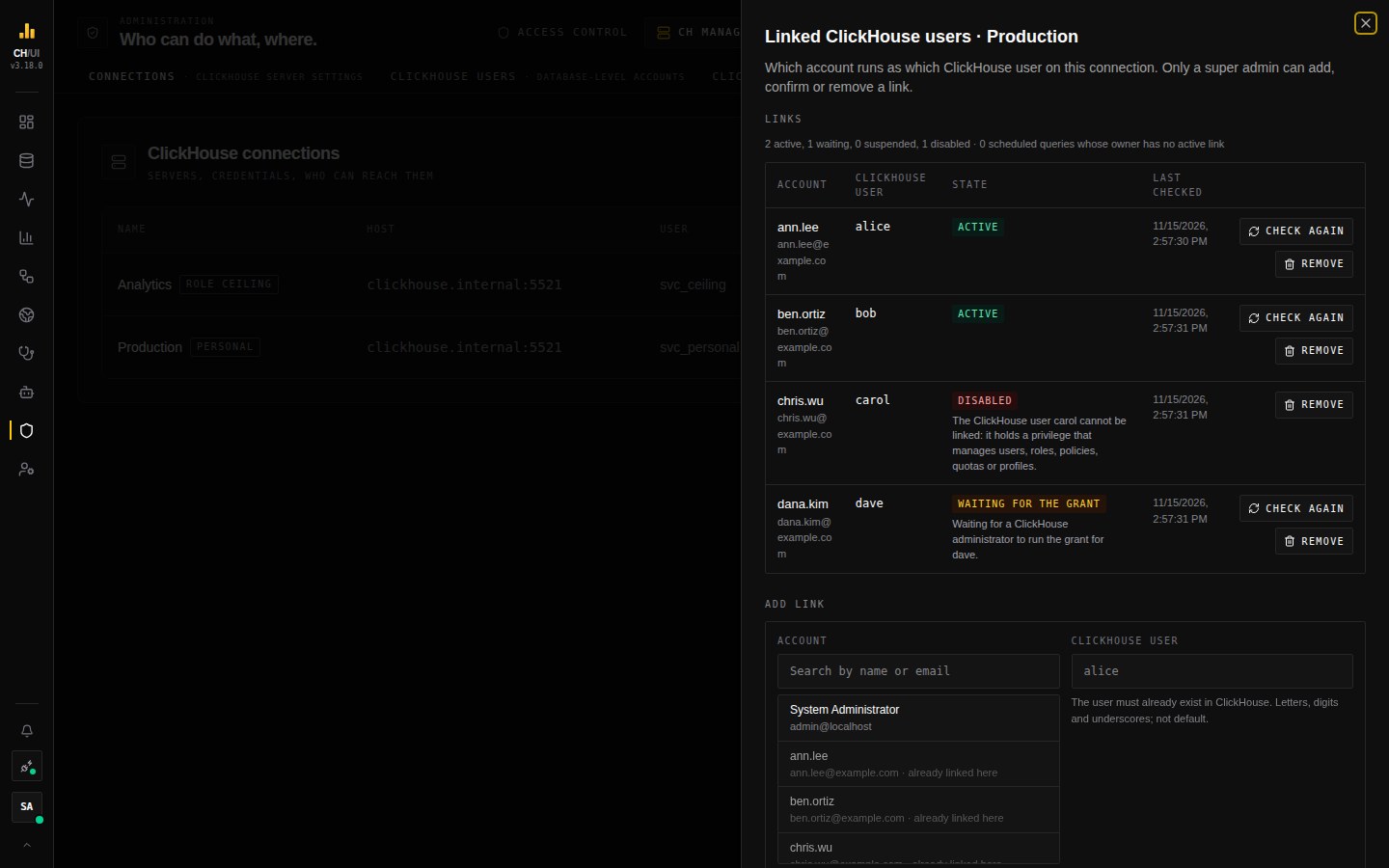 The links of a connection, and the Add link form below them
CHouse UI looks the user up in ClickHouse and stores its id, so a different user created later under the same name is not taken for this one. The link starts as Waiting for the grant.
If the name is refused, the message says why: the user does not exist, is default, is the login of a connection, is already linked to another account, or its name has characters other than letters, digits and underscores.
2. Hand over the grant
The panel shows the statement to run:
GRANT IMPERSONATE ON alice TO chouse_impersonate; -- annSend it to your ClickHouse administrator. CHouse UI cannot run it.
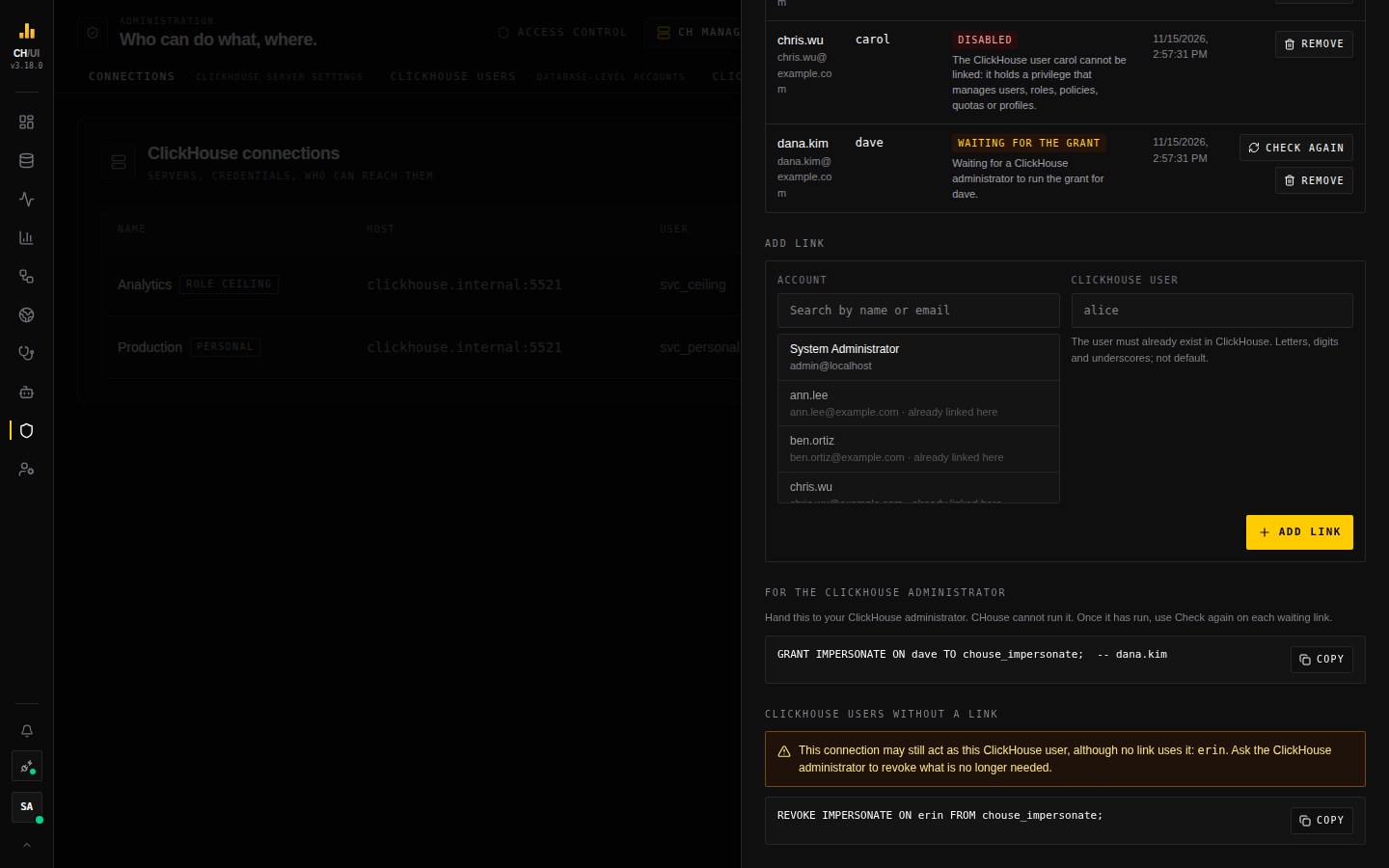 One GRANT per waiting link, ready to copy
3. Check again
Press Check again on the link, or wait for the next check (every five minutes). The link becomes Active when ClickHouse lets the connection act as alice.
If it becomes Disabled instead, alice or one of her roles holds a privilege a linked user may not hold: managing users, a grant she can pass on, or acting as another user. The reason is shown on the link.
4. What Ann sees
In the connection switcher: As alice (your ClickHouse user). In Preferences › ClickHouse user she sees the link and its state, and can press Check again herself.
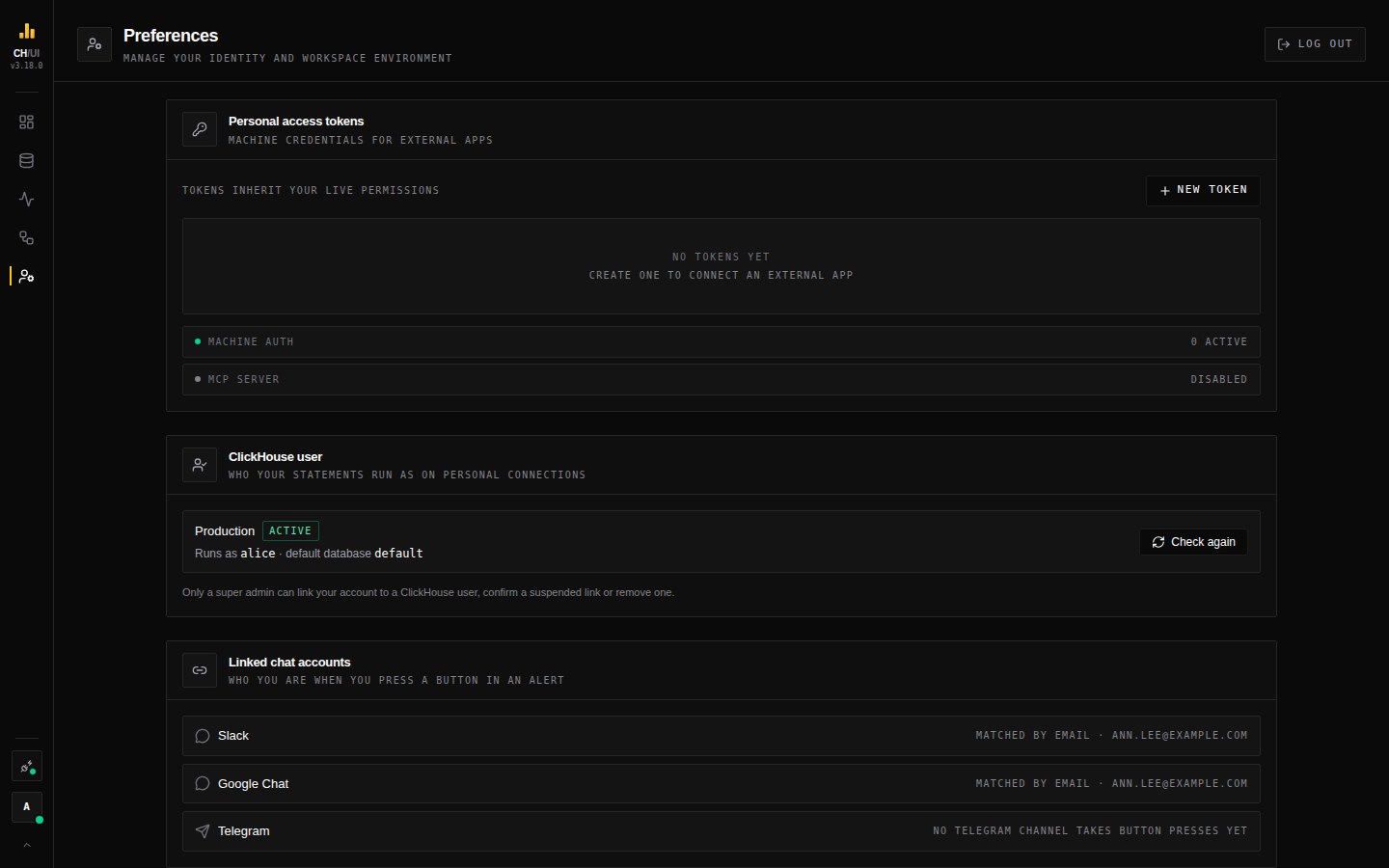 Ann's Preferences: on Production her statements run as alice
A table outside alice's grants is refused by ClickHouse, and the message names the grant that is missing.
When a link is suspended
If someone else resets Ann's password or changes her email, or a sign-in identity is added to or removed from her account, the link is Suspended and her statements are refused. Check that the account is still Ann's, then press Confirm on the link.
From the command line
A super admin can do steps 1 to 3 with the CLI, with a token that has no scopes:
chouse connection links add Production --account ann.lee --user alice --yes
chouse connection links grants Production     # hand this to the ClickHouse administrator
chouse connection links check Production ann.lee
Ann can check from her side with chouse connection runs-as Production.
When Ann leaves
Remove the link. Then run the REVOKE the panel shows under ClickHouse users without a link, so the connection can no longer act as alice.